
Emoji Mosaic Generator
Use a free browser-based emoji mosaic generator to turn a photo into emoji mosaic art with adjustable detail and PNG download.
Last updated: 2026-09-11
Photo From Emoji workspace
Upload a photo, adjust the detail and style, then download your PNG.
 Before
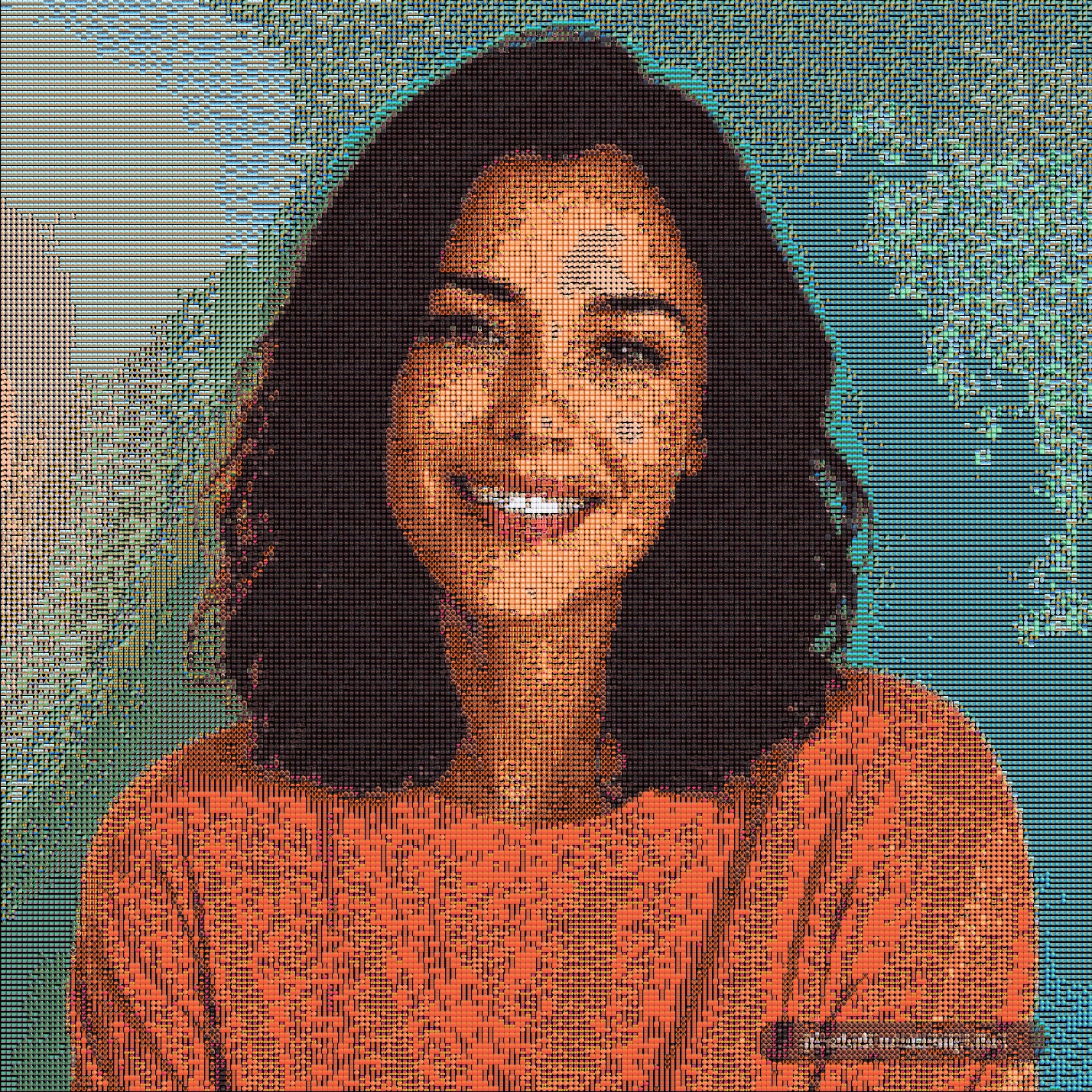 After
AfterSame portrait, emoji grid display
A clear portrait keeps the face recognizable, so it is a good place to start with the default emoji grid look.
Use Photo From Emoji to turn a photo into a mosaic made from emoji. Adjust the detail in your browser, compare it with the original, and download the result as a PNG.
Use the generator above if you already have a photo ready.
How to make an emoji mosaic
- Upload a JPG, PNG, or WebP image.
- Choose a display mode: Grid, Texture, or Chart.
- Adjust the analysis window and output emoji size.
- Generate the emoji mosaic in the browser.
- Compare the result with the original photo.
- Download the finished PNG.
Emoji mosaic settings that matter
| Setting | What it changes | Best use |
|---|---|---|
| Analysis window | How much source detail the generator samples | Smaller values can retain more detail within processing limits |
| Output emoji size | The drawn size of each tile and the PNG dimensions | Increase for a larger export, not to recover missing detail |
| Display mode | The visual style of the emoji image | Grid is readable, Texture is softer, Chart has stronger color blocks |
| Match tolerance | Which emoji tiles qualify as color matches | Compare one change at a time; restore recommended settings if the result gets worse |
Browser-based vs cloud emoji mosaic tools
| Option | Photo privacy | Speed | Best for |
|---|---|---|---|
| Browser-based emoji mosaic | Your photo is processed locally | Fast for normal images | Quick experiments, avatars, social posts |
| Cloud image editor | Photo usually uploads to a server | Depends on server queue | Heavy editing or account-based workflows |
| Manual emoji art | No upload required | Slow | Small text art or hand-made layouts |
Best photos for emoji mosaic art
Emoji mosaics work best when the subject has a simple outline and clear color blocks. Portraits with one face, pet photos with bright eyes, product photos on plain backgrounds, and travel objects usually produce more recognizable results.
Avoid very dark images, crowded group photos, tiny faces, and screenshots with small text. The generator can still process them, but the final emoji image may be harder to read.
The step-by-step guide compares source sampling with output size using actual PNG files. Browse the emoji art gallery to compare subjects, or use the photo converter for portraits and pet pictures.
FAQ
What is an emoji mosaic generator?
An emoji mosaic generator converts a photo into an image made from repeated emoji tiles. Photo From Emoji does this in the browser and lets you download the result as a PNG.
Does Photo From Emoji upload my photo?
No. The current generator reads and renders the image locally in your browser.
Which photos work best for emoji mosaics?
Clear portraits, pets, product shots, and simple objects with strong shapes usually create the most readable emoji mosaic results.
Is this emoji mosaic generator free?
Yes. You can generate and download your image for free without signing up.
Can I download the emoji mosaic?
Yes. After generation finishes, use Download PNG to save the image. Wait for a new preview to finish after changing a setting.
Is this an AI image generator?
This tool matches areas of your existing picture with emoji tiles. It does not generate a new scene from a text prompt or turn your face into a single cartoon emoji.
Where should I start?
Choose a clear image in the workspace above and begin with Grid and the recommended settings. Try Quick preview to compare styles before making a high-detail result.