
Photo to Emoji Converter
Convert a photo to emoji art in your browser. Free photo to emoji tool with private processing, adjustable detail, and PNG download.
Last updated: 2026-09-11
Photo From Emoji workspace
Upload a photo, adjust the detail and style, then download your PNG.
 Before
 After
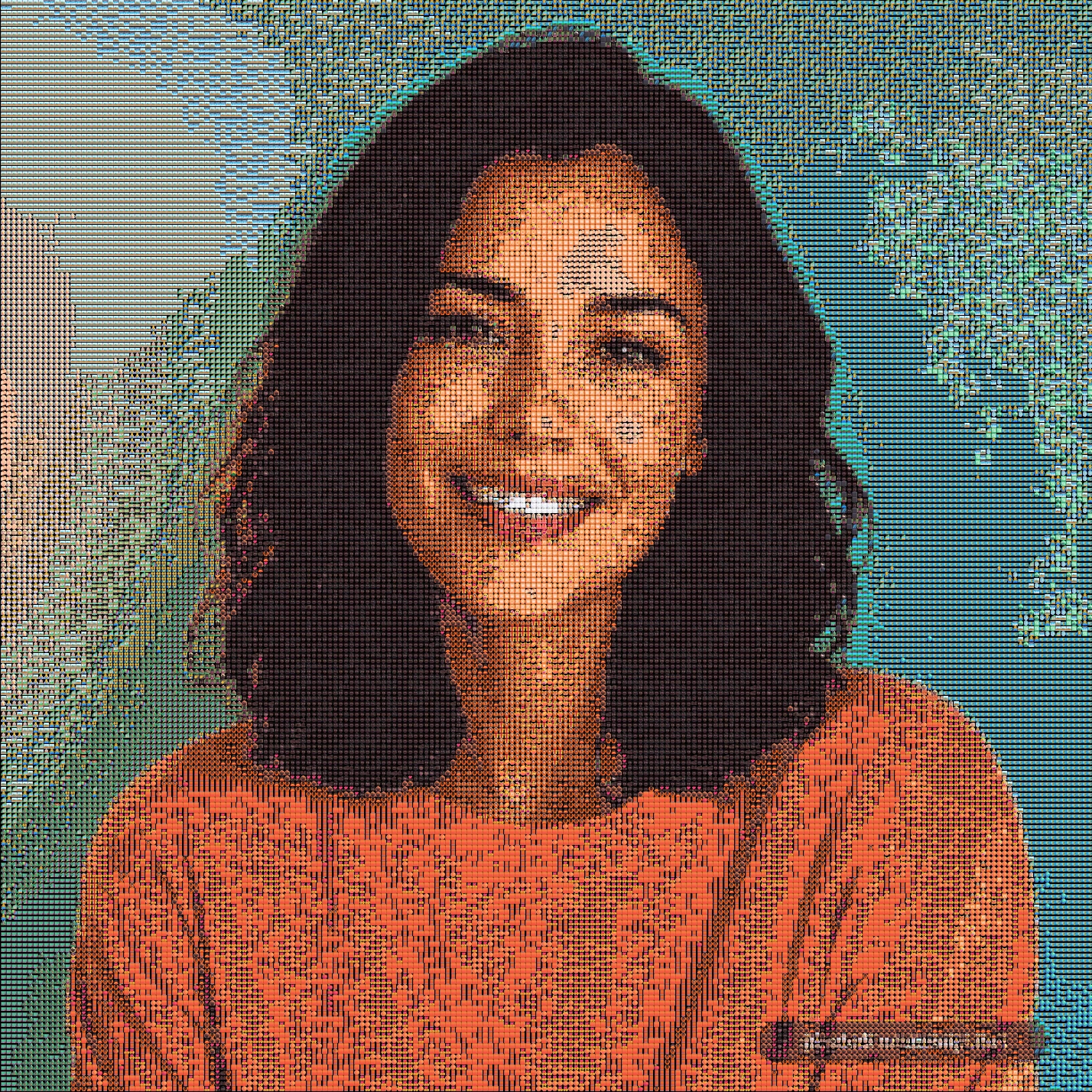
AfterPortrait converted to emoji art
The portrait and emoji result sit side by side so you can compare the face, outline, and generated texture.
Turn your photo into an image made from emoji with Photo From Emoji. Make an avatar, a pet keepsake, or a social post without installing an app or creating an account.
Use the free converter above to start with your own image.
New to the effect? Follow the photo-to-emoji walkthrough with real before-and-after images and downloadable results.
Convert a photo to emoji in six steps
- Pick a clear photo with one main subject.
- Upload the image in JPG, PNG, or WebP format.
- Start with Grid to keep the subject recognizable.
- Try Texture or Chart to compare different styles.
- Generate the result in your browser.
- Download the final emoji PNG.
More ways to work with your image
Try a portrait, pet photo, product shot, or travel object. Adjust the result in the tool above and download it when you are happy with it.
For more on grid settings, see the Emoji Mosaic Generator. For supported file types and transparent images, see the Image to Emoji Converter.
See real photo to emoji examples before you choose an image. The gallery includes portraits, pets, products, travel objects, and classic paintings so you can compare how different subjects hold up at emoji size.
What makes a good photo to emoji result
Start with a clear subject, moderate contrast, and a simple background. If the result is too dark, try a brighter photo or compare different background colors.
For portraits, keep the face large in the frame. For pets, choose a photo with visible eyes and fur contrast. For product shots, use a clean background and strong object edges.
After generating, check the result at two sizes: view it from a distance to make sure the subject is recognizable, then zoom in to inspect the individual emoji tiles. If the subject disappears, crop it closer or try a brighter image. Restore the recommended settings to compare a more detailed result. A smaller analysis window can retain more source detail within processing limits; output emoji size changes the exported dimensions, not the sampled detail.
Why use a browser-based photo to emoji tool
- Privacy: the current generator processes the photo locally in the browser.
- Speed: there is no upload queue for normal images.
- Control: you can adjust emoji size, detail, display mode, and background handling.
- Download: the finished result can be saved as a PNG.
FAQ
How do I convert a photo to emoji?
Upload a photo, choose the emoji style and tile detail, generate the result, then download the emoji image as a PNG.
Can I convert a photo to emoji without signing up?
Yes. You can convert your photo and download the result without creating an account.
What file types are supported?
The browser tool supports JPG, PNG, and WebP images.
Can I see examples before I upload a photo?
Yes. Browse the emoji art gallery to compare portraits, pets, products, travel objects, and classic artworks before making your own.
Are my photos uploaded to a server?
No. Your photo is processed in your browser. Public example images are downloaded when you choose them.
Can I use the result as an avatar?
Yes, if you have the rights to the original image. Preview the PNG at your profile picture size to check that the face is still recognizable.
Does the tool work on mobile?
Yes, in modern mobile browsers. High detail can take longer on a phone. Try Quick preview while experimenting, then restore the recommended settings for your final image.
What should I try first?
Choose a bright portrait, a pet with visible eyes, or a simple object. Keep the subject large in the frame and begin with Grid mode.